
How To Articles

ONVIF Camera Configuration

These steps can help to enable cameras for ONVIF discovery and authentication with Protect

Last updated on 01 Dec, 2025

AXIS

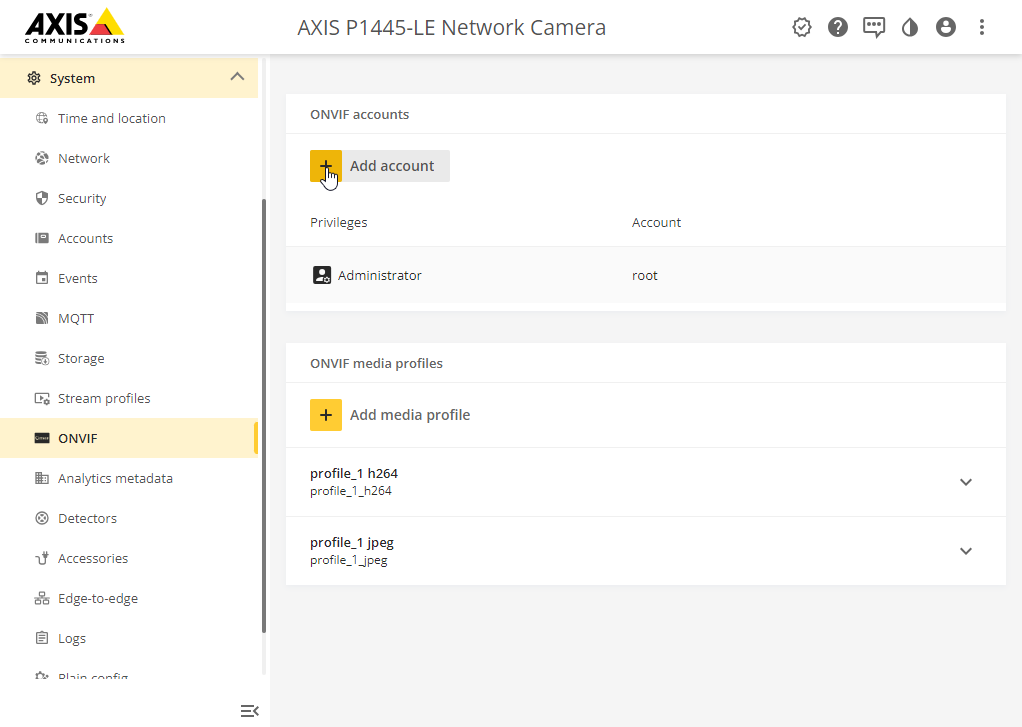
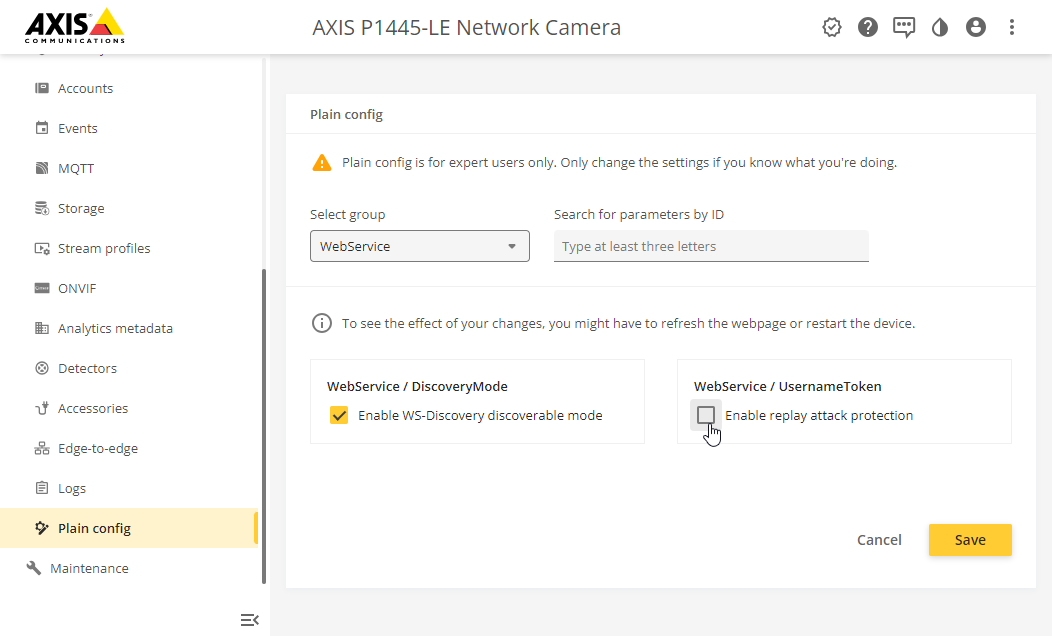
The following two steps are needed to enable Onvif on an Axis camera to work with Protect:

  1. Create an Onvif user that needs to be used while adding the Camera into Protect
Image


2. Disable "Enable replay attack protection" in the plain config under "Web Service".
Image


Did you find this article helpful?
Previous

Auto Power on Jetson Orin NX

Next